PCPC WSI SCSI Upgrade for Macintosh Hard Disk 20
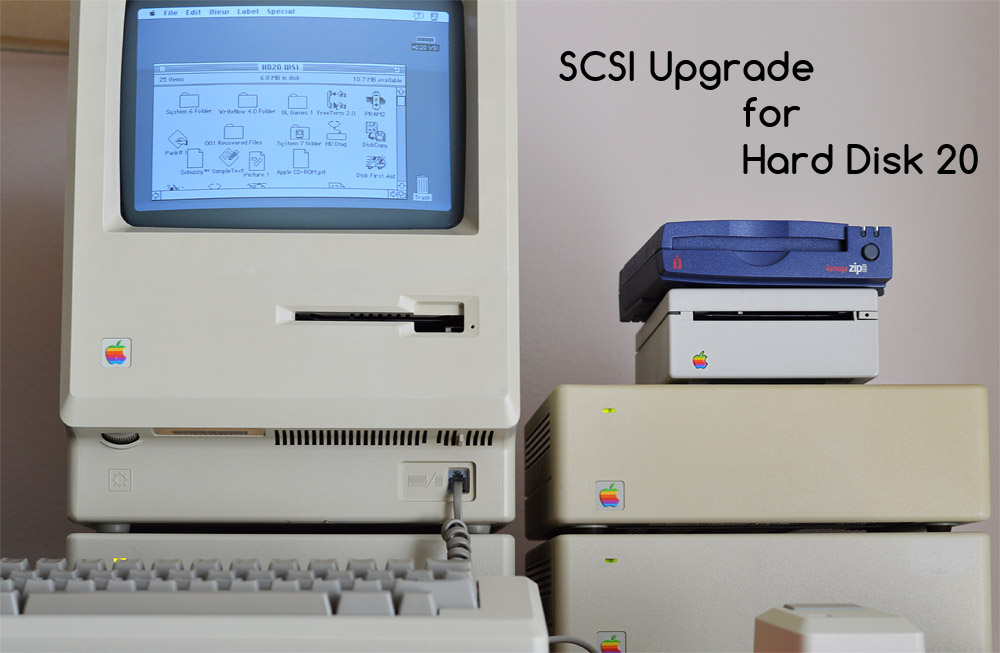
Though the Macintosh Hard Disk 20 (HD20) began production in late 1985, it wasn't available in quantity until January 1986. At that time, the Macintosh Plus with its high-speed SCSI interface was just introduced. The Hard Disk 20, attaching to the slower floppy disk port, became obsolete within weeks, though it continued to be manufactured through 1987 for use with the Mac 512K and 512Ke.
In 1988, Personal Computer Peripherals Corporation (PCPC) developed and marketed a SCSI upgrade for the venerable Macintosh HD20. This SCSI board replaced the René controller board, while retaining the same Rodime R0552 disk drive mechanism and Sony power supply.
PCPC already had experience with hard drives for the Macintosh, as they produced the MacBottom 10 MB hard disk in summer 1985, the first model interfacing as a serial device, followed later by a 20 MB model. After the introduction of the Macintosh Plus in 1986, PCPC released a SCSI model of the MacBottom.
HD-20 WSI SCSI Upgrade for HD20
Realizing there was an opportunity here with people converting their old hard drives to faster SCSI interfaces, PCPC released the HD-20 WSI upgrade for the HD20. WSI stood for "With SCSI Interface."
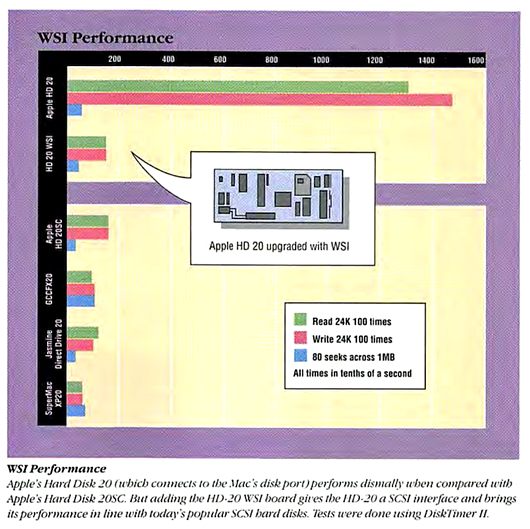
Listing for $295 in mid-1988, the HD-20 WSI upgrade substantially improved the performance of the Hard Disk 20 by interfacing it through SCSI, merely by replacing the old IWM-powered controller board. The new controller featured the same NCR 5380 SCSI controller as used in the Macintosh Plus. Lon Poole reviewed this upgrade for Macworld in its August 1988 issue, pp. 121-123.
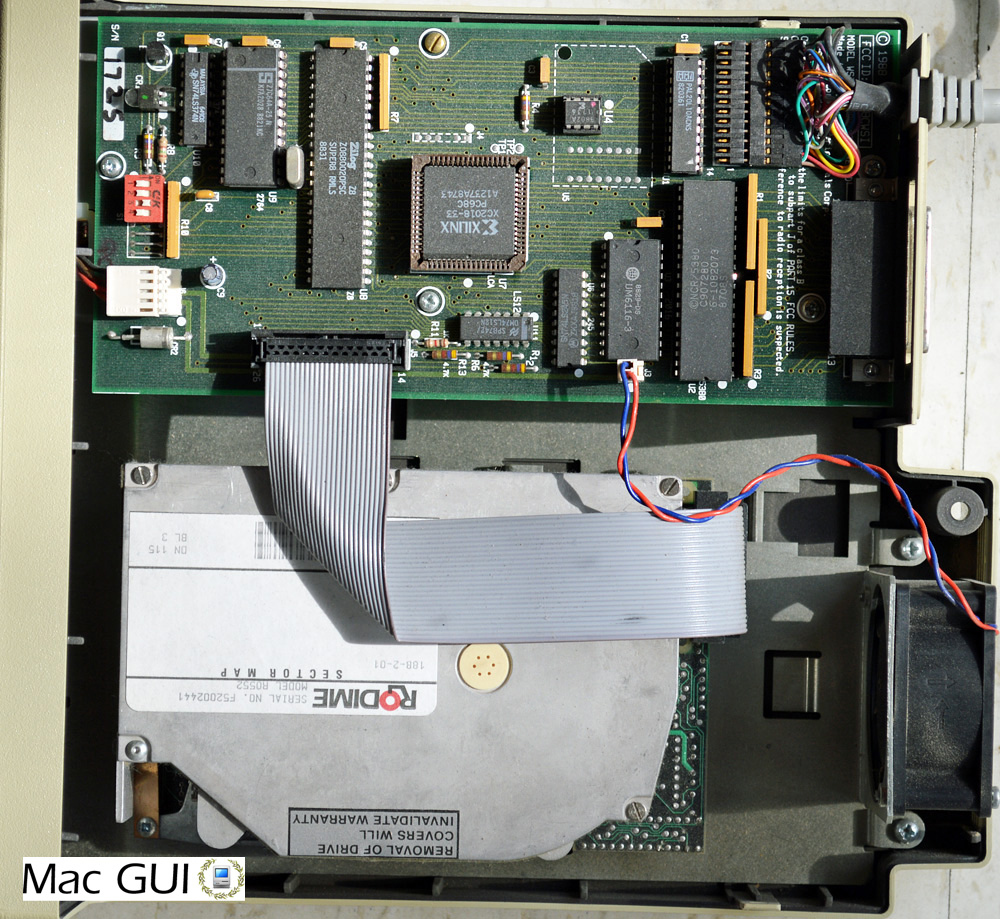
Hard Disk 20 with PCPC WSI SCSI upgrade installed
The upgrade was largely aimed at Mac 512K and 512Ke users who had added a SCSI port to their Macintosh, either as part of the official Macintosh Plus upgrade kit, or via a 3rd party SCSI board.
After installing the new SCSI controller board, you had to initialize the hard disk. But once you had restored all your data, the Hard Disk 20 with SCSI was now, "on a par with other 20-megabyte SCSI drives," stated the Macworld review. Unfortunately, the available disk space was only about 18 MB after formatting.
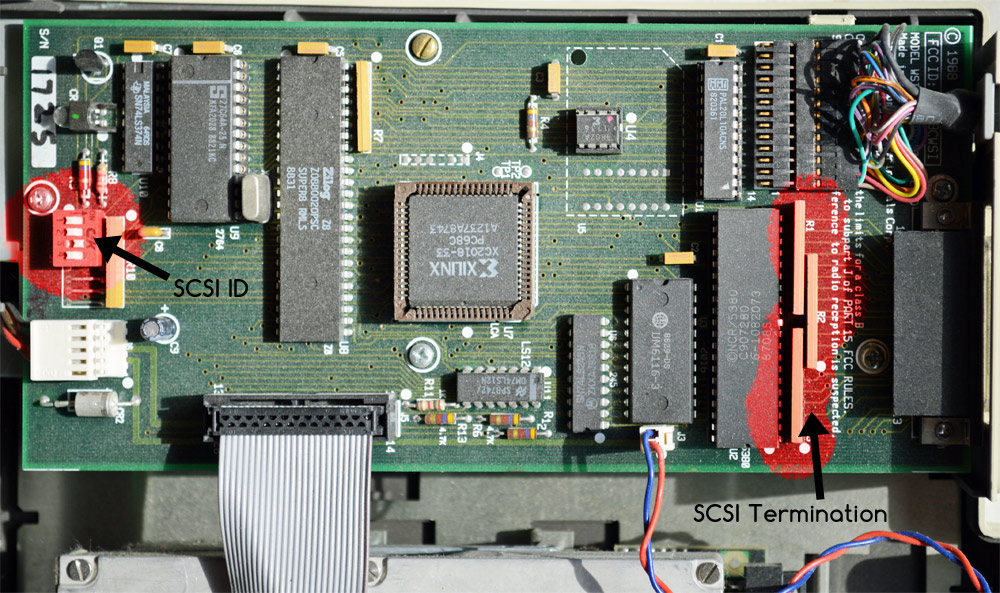
The SCSI controller board for the HD20 allows another SCSI device to be connected to the chain. The SCSI ID is set by way of an internal DIP switch. The WSI SCSI controller board is also internally terminated, but this termination can be disabled by removing three yellow resistor packs. It is only necessary to remove the termination if you have more than one SCSI device, and the HD20 is not the last on the chain.
Two floppy disks came with the WSI upgrade, containing some utilities such as a printer spooler, backup manager, floppy disk copier, and drive formatting application
One notable downside of the PCPC WSI SCSI upgrade in Lon Poole's review is that the disk format utility would only format the drive for a 3:1 sector interleave, which is suitable for a Macintosh Plus, but is slower than necessary for an SE or Macintosh II. These latter two machines are fast enough for a 2:1 or 1:1 sector interleave.
Configuring the PCPC WSI SCSI Hard Disk 20
I don't have the manual for the WSI SCSI upgrade board, but through trial I was able to discover how to configure the SCSI ID and internal termination. A red DIP switch block at the front of the board holds four switches. Switches 2 through 4 set the SCSI ID. The following table shows which switch settings produce which SCSI ID. You will notice that it's the inverse of each switch that forms the 3-bit binary number for 0-7:
2	3	4

on	on	on	ID=0

off	on	on	ID=1

on	off	on	ID=2

off	off	on	ID=3

on	on	off	ID=4

off	on	off	ID=5

on	off	off	ID=6

off	off	off	ID=7 Mac will not boot
Switch 1 connects an IRQ line between the NCR 5380 SCSI controller and the Zilog Z8 microprocessor. I have no idea whether the firmware is written to use interrupts or not. I perceive no change in operation of the hard disk after changing this switch. The switch was originally off in my SCSI HD20 unit, but I don't know if the previous owner changed it at some point or not.
As for internal termination, three yellow resistor packs at the rear of the board, highlighted in red in the photo below, can be carefully removed if termination is not needed.
If the SCSI hard disk 20 is the only external SCSI device connected to your Macintosh, then leave these resistors in place. If the SCSI hard disk 20 is somewhere in the middle of the SCSI chain, then remove these resistors. And finally, if the WSI SCSI HD20 is the last device on the chain, then keep these resistors in place, as the last SCSI device needs to be terminated.
I don't have access to PCPC's formatting or testing utilities, so I can speak no more on this particular subject. Let's take a look at using the WSI SCSI hard disk with my Mac 512Ke.
| Code: |
| ©1988 PCPC FCC ID: EIS58CWSI MODEL WSI P/N 99000017 REV D Made in U.S.A. Personal Computer Peripherals Corp. Tampa, Florida 33634 |
Using the SCSI Hard Disk 20
Now that my Mac 512Ke finally has a SCSI port, I could power on and use this SCSI hard disk for the first time in many many years.
When powered on, the WSI SCSI Hard Disk 20 does not have such an elaborate self-test procedure. It does not seek across the platter to locate the spare tables. Nor does the LED flash during startup. The LED should remain steady on from the moment you switch on the power. After a few seconds, it should flash just once, but it's subtle and you'll probably miss it unless you watch closely. From there on, the LED flashes with each disk seek.
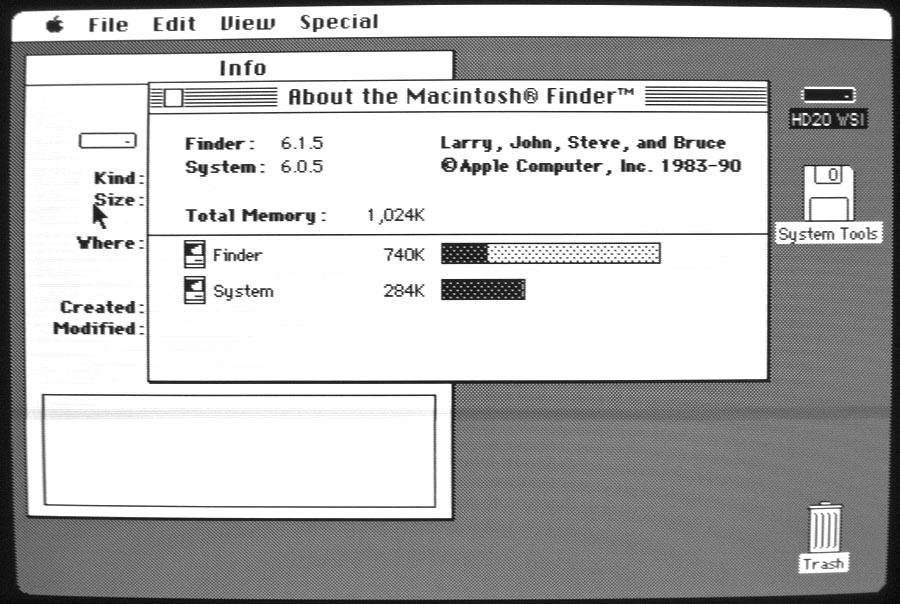
The hard drive contained a working System folder and I started right up and arrived at the desktop. If the last modification date is to be believed, this hard drive was last used in August 1995, about 22 years ago.
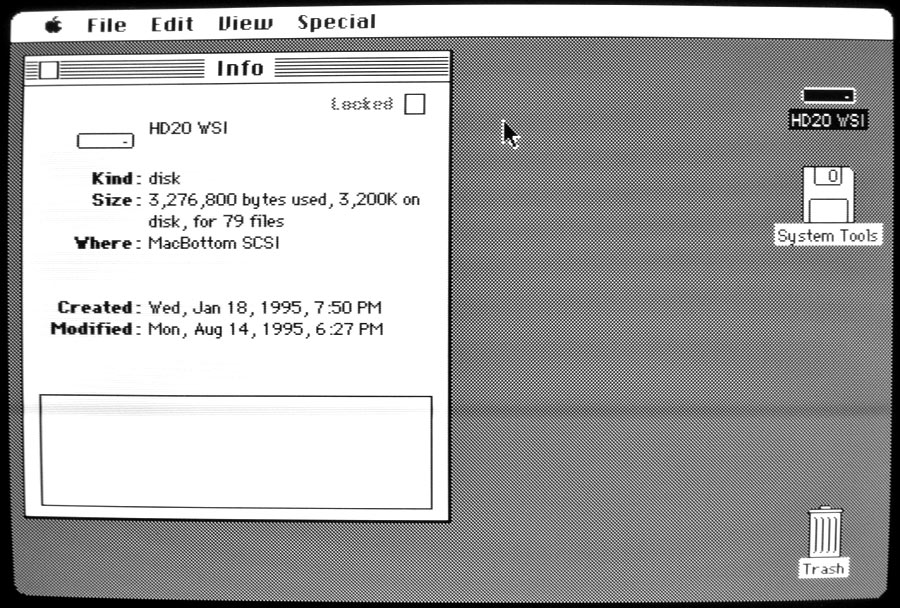
It's interesting to note that the "Where" string in the Get Info window reads MacBottom SCSI, suggesting that PCPC repurposed their MacBottom driver for the WSI upgrade board.
On the drive is System 6.0.5 and Finder 6.1.5.
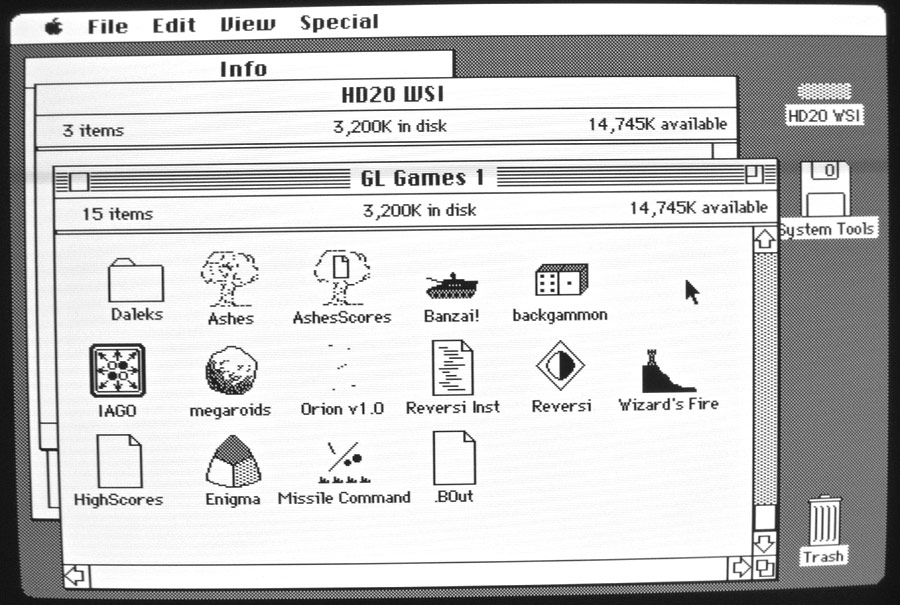
The previous owner left a folder full of games for me! Here are some real classics: Reversi, Backgammon, Banzai!, Iago, Megaroids, Missile Command, and more.
Missile Command deserves brief recognition here. Robert P. Munafo wrote Missile Command using Apple Lisa Pascal in 1984. He was careful to follow Apple's guidelines regarding the Macintosh Toolbox and future compatibility. Thus, the game that he wrote for a Macintosh 128K running System 1.0, will run as-is on a 450 MHz blue & white Power Macintosh G3 running Mac OS 9.2.2. The game runs at the same speed (save for some speeded-up animations that don't affect game play) and adapts to the much larger screen resolution.
Ah, once again we find ourselves at a familiar place: the end of another Mac 512K Blog article!
 The next article will take us on a tour of Apple's famous Mac Factory in Fremont, California. See ya there!
| The Mac 512K Blog wrote: |
| This blog chronicles the Macintosh 512K and my projects with it. We will test software, fix hardware, program it, hack it, and generally take the 512K Macintosh to its limits. Do leave any feedback you may have by posting a comment to this article. |